
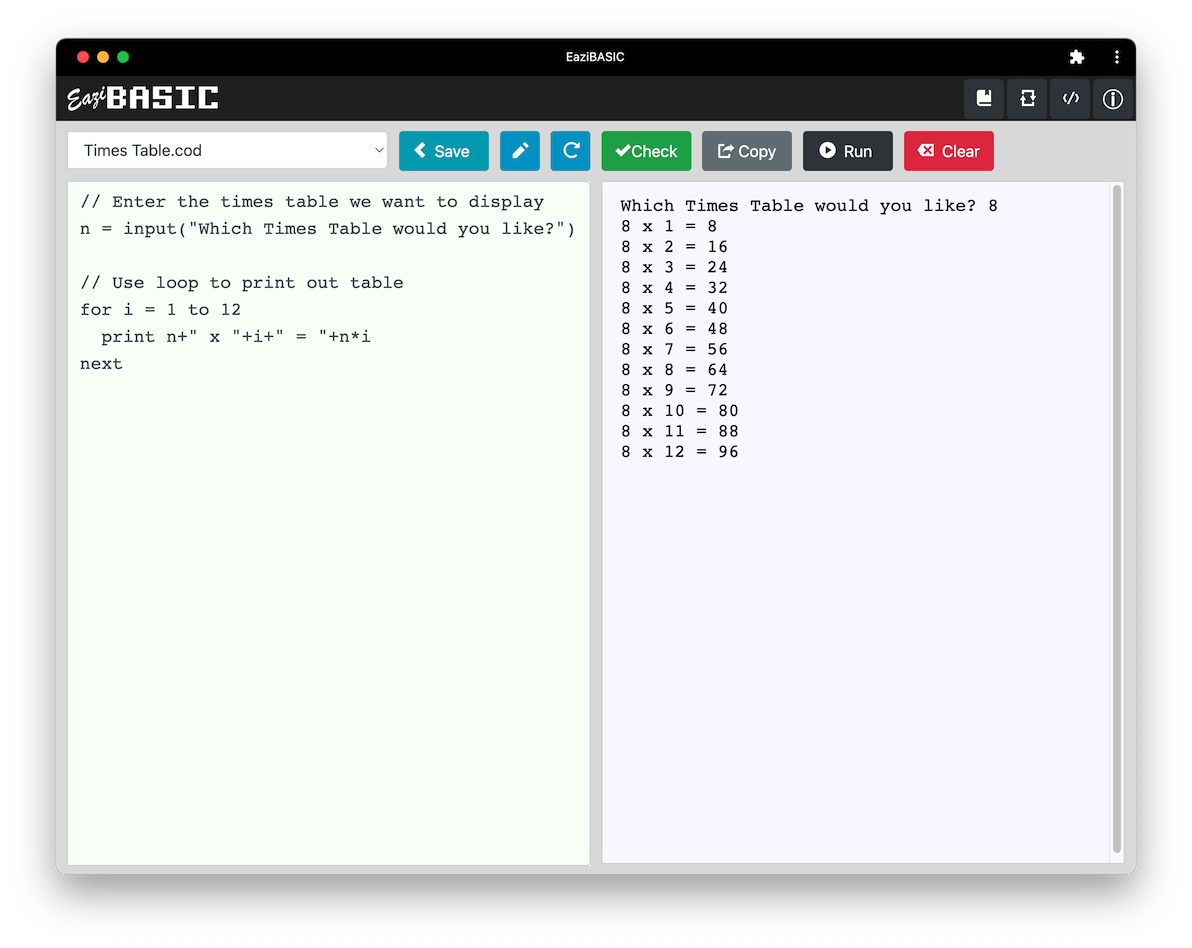
 What is EaziBASIC?
EaziBASIC is an extremely quick and easy platform for complete beginners to learn how to program - you simply type and save your own code in the left window, and run/execute it in the right window where any output will be displayed.
Because it runs in a browser, EaziBASIC doesn't need any complicated installations and can be used on any device (your PC, mobile phone, tablet, etc) and anywhere provided you have Internet access (home, the park, the beach, etc).
Just as you need to learn how to drive before you can use a car, or know how to add and subtract before you can use a calculator, you need to know how to code before you can take advantage of any language. I've found that, in order for the student to focus on learning how to code, the priority on the choice of language has to be simplicity. The student shouldn't have to think about how to code what they want to code - they should be able to state it in plain English, and that's exactly what BASIC allows them to do.
One could argue that when you 'learn' BASIC, you aren't actually learning a programming language at all - you're simply learning how to code in plain English. There's a reason why the 'B' in 'BASIC' stands for 'Beginners' - it's naturally the easiest 'language' to learn to code with.
And once you've learnt the basics (no pun intended!) of programming in EaziBASIC, you can move on to any language you like and take it to a whole new level, just as you can pick up any scientific calculator once you know your mathematics, and you can get into any car or move onto a bus or truck once you've learnt how to drive.
EaziBASIC provides the ability for everyone to code on any device with full documentation and no setup required at all. It provides teachers with a 'standard' version of BASIC that can easily be used by all their students, both at school and at home, without the worry of minimum requirements and installations.
As an added bonus, for those students considering the OCR Computer Science GCSE, EaziBASIC incorporates the OCR Reference Language, so you can learn to code in the Reference Language itself which will help in understanding and answering the OCR exam questions.
In order to use EaziBASIC simply visit: eazibasic.app
Full instructions are included in the app itself.
Once you've accessed the app at eazibasic.app you can install it on your device as follows:
Tap on the icon circled in red below. It will bring up a menu.
At the bottom on iPhone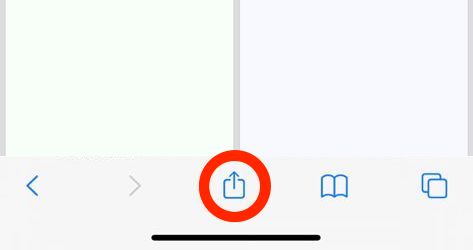 At the top right on iPad 
|
At the top on Android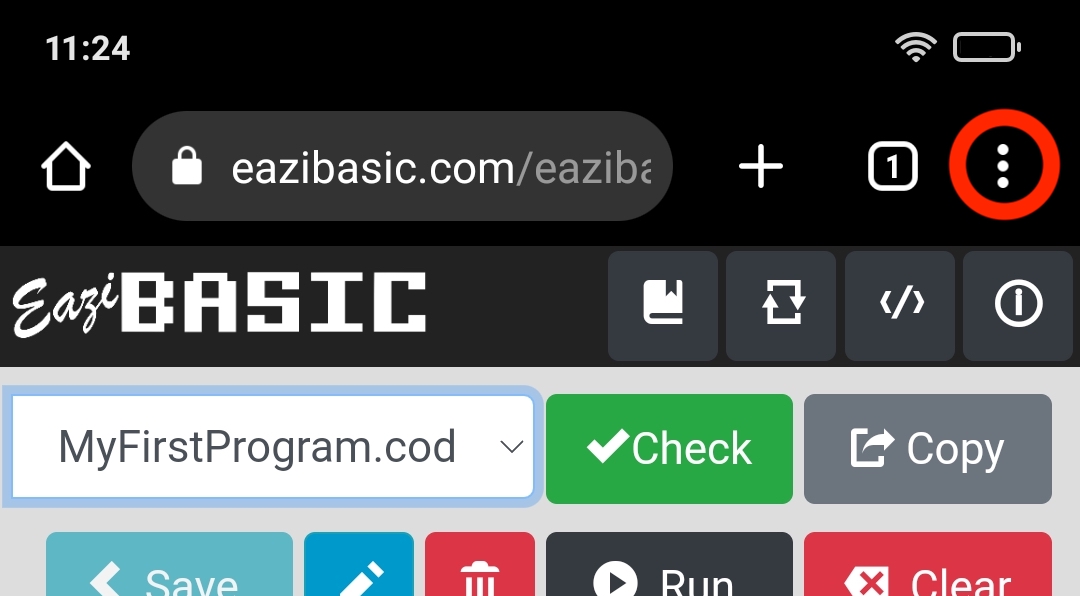
|
Scroll down the menu and tap on 'Add to Home Screen' on iPhone/iPad or 'Install App' on Android.
iPhone/iPad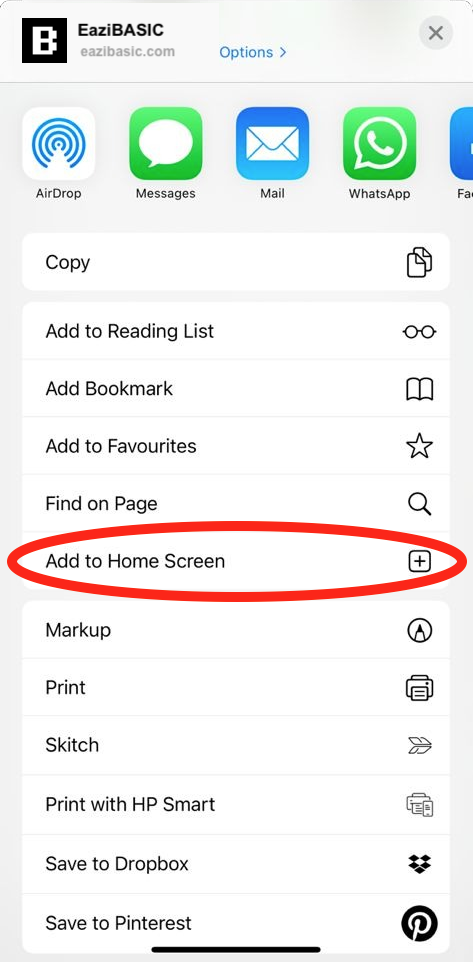
|
Android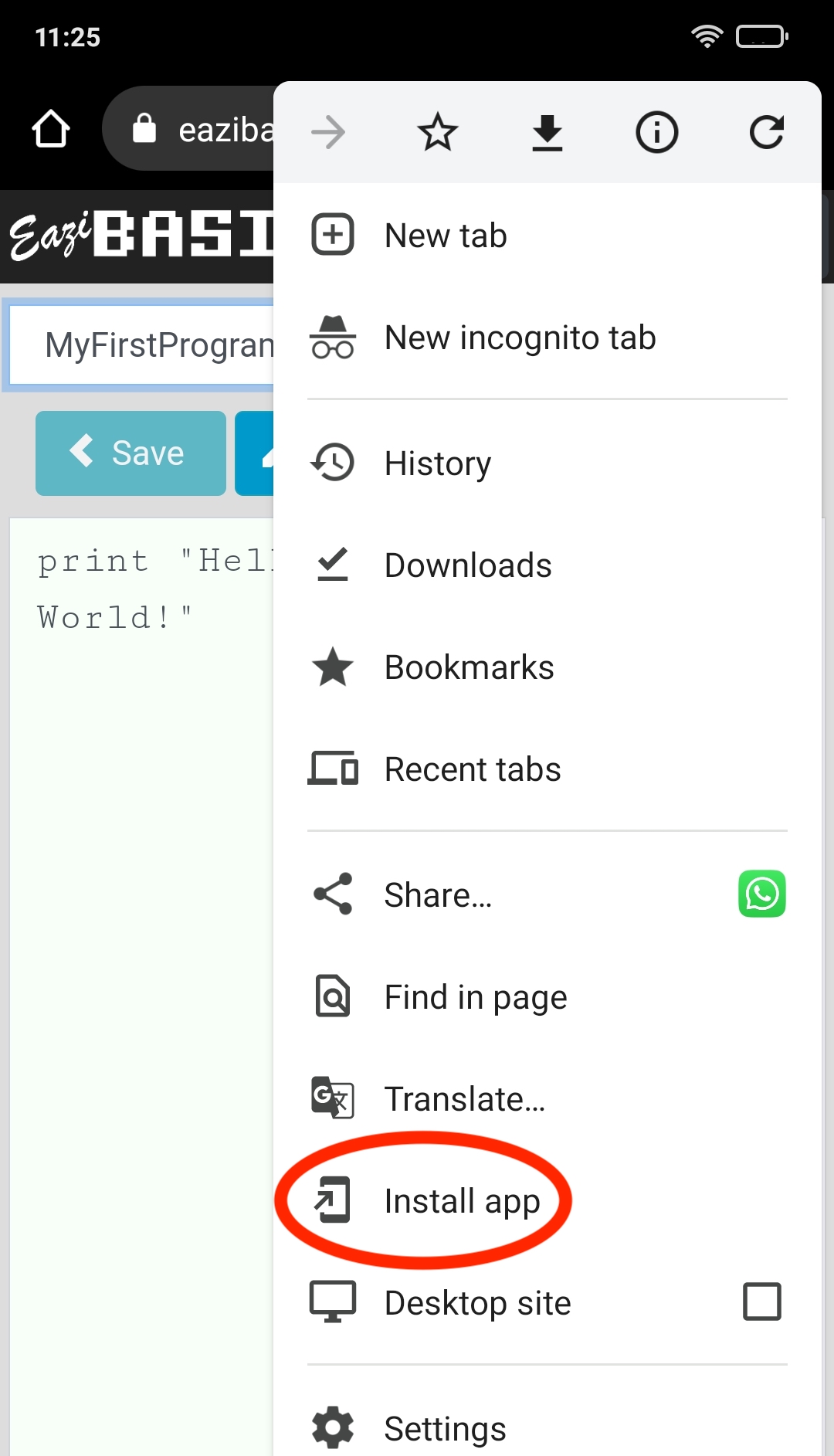
|
On iPhone/iPad tap on 'Add' to finish. On Android tap on 'Install'.
iPhone/iPad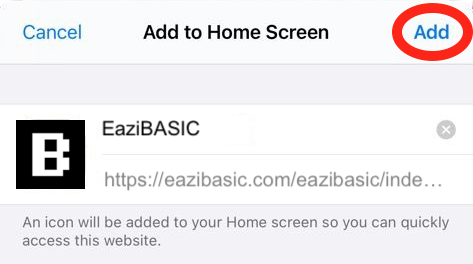
|
Android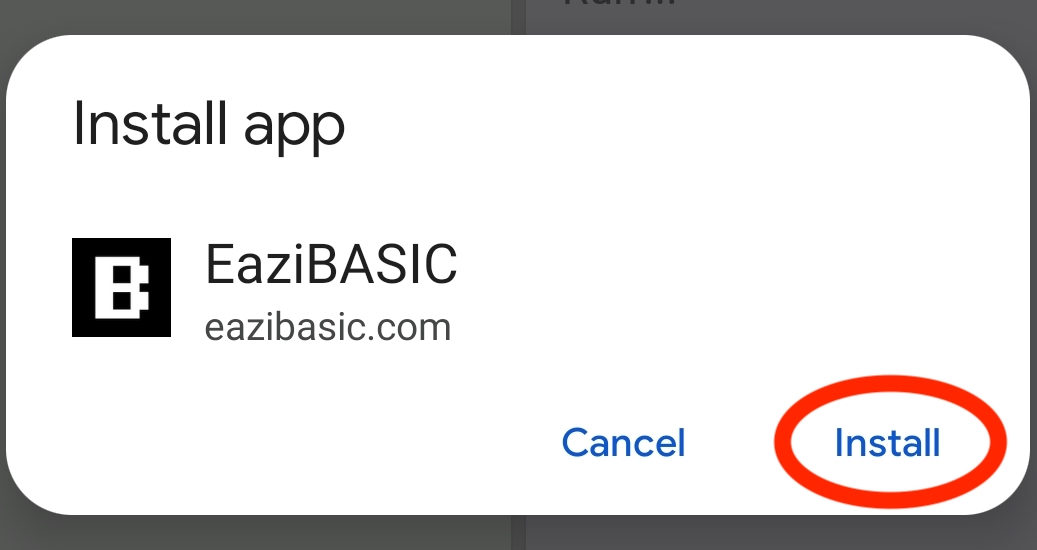
|
You should now close your Internet browser and look for the app with all your other apps and run it from there.
If you're using a PC, depending on the browser, you may also be able to install the app, otherwise simply bookmark the page for future access.
Coming soon - for the complete beginner (we assume you know absolutely nothing) - easy to follow and understand lessons teaching the basic concepts and more which will get you on your way to coding in any language once you're ready.
If you come across a problem using EaziBASIC, the first thing to do is completely restart the app by swiping it away from your list of recent apps on your device. If the problem persists even after completely restarting the app, then please send an email to:
Please ensure you explain what the issue is in as much detail as you can and include the original code (copy and paste it into your email) if you're reporting a bug. We'll look into it and publish an updated, fixed version as soon as we can.
© EaziBASIC.com 2022